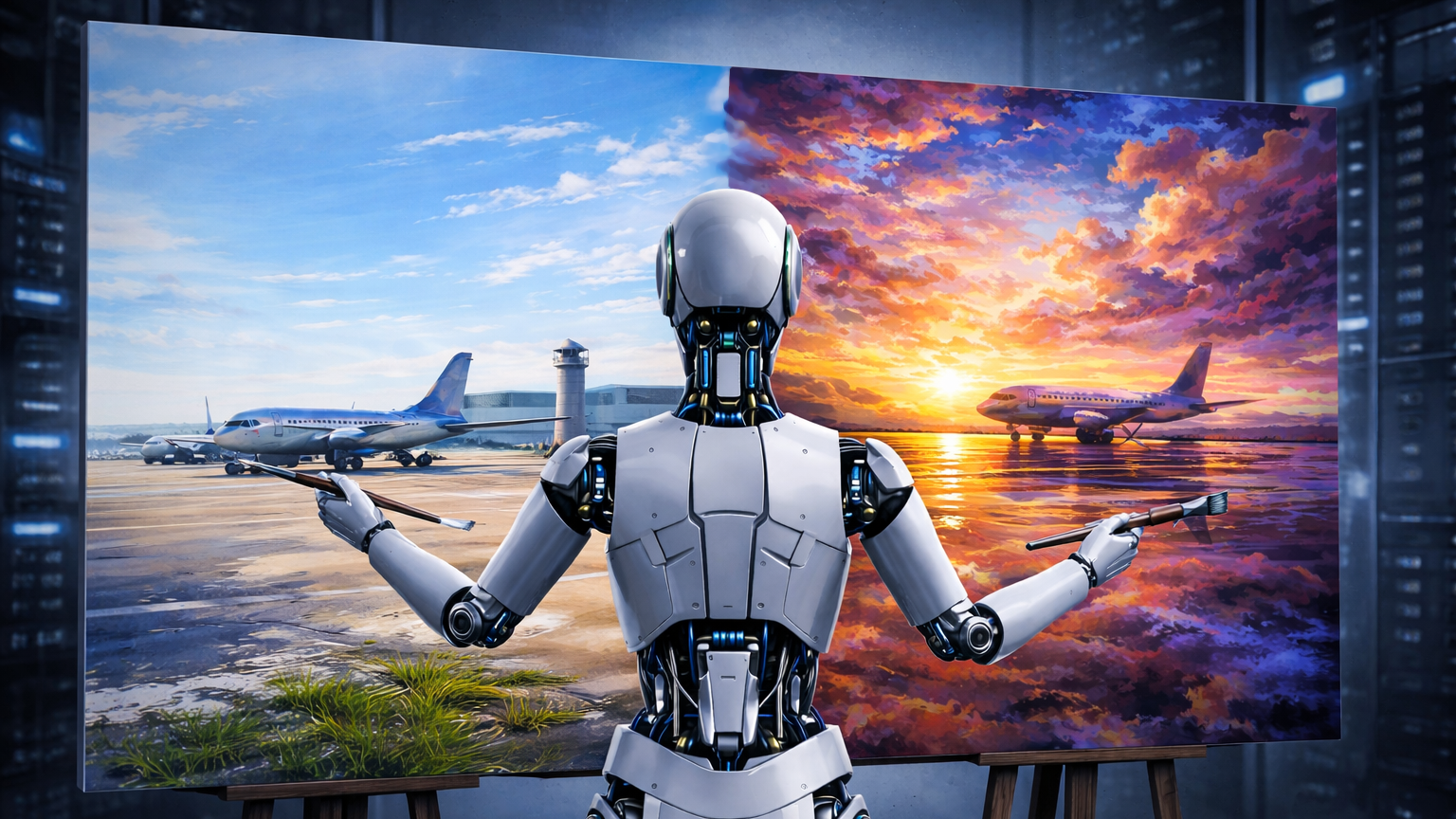
January 2026, a secondary look at the imaging for the main AI Whitepaper.
Given the rather “sophisticated” images I used in my whitepaper on AI, I was asked to share how I did them, what “prompts” I gave the AI. But as I mentioned in the end note:
All new images a mix of AI generated using ChatGPT, Gemini, Mistral and others with massive human creativity finetuning using Gimp, PowerPoint and other tools. The images took days. Each. And multiple AI and classic tools. So if you have a good human artist… AI has some nice ideas, but executing them into images? Nothing you want to have to fight on a professional or (beware) daily basis.
AI is very good to visualize “plain ideas”, but nothing more complex. If you ask the AI to help you with the prompt (what to tell it to get a good result), it will understand you perfectly well, but getting your idea(s) rendered is another issue entirely 😇
And a note. Yes, I know a graphics professional with a lot of experience in Photoshop (or Gimp) could maybe have done that much faster and inside the respective tool. As is, placement and scaling is for me easier with PowerPoint in which I’m “Pro”, instead of trying to master Gimp, which I use for years for “other work” as needed by a marketing guy like me. It’s why I noted in the orixxxginal article: If you have some graphics expert at hand and the budget for it, I recommend to outsource the headaches. But. I found them often not being any more compliant and delivering my visions than AI is, usually takes rather long and then they are upset I’m not buying their (often quick&dirty) “draft works”, neither meeting my own standards, not what I envision and want.
Development Example: LoRA
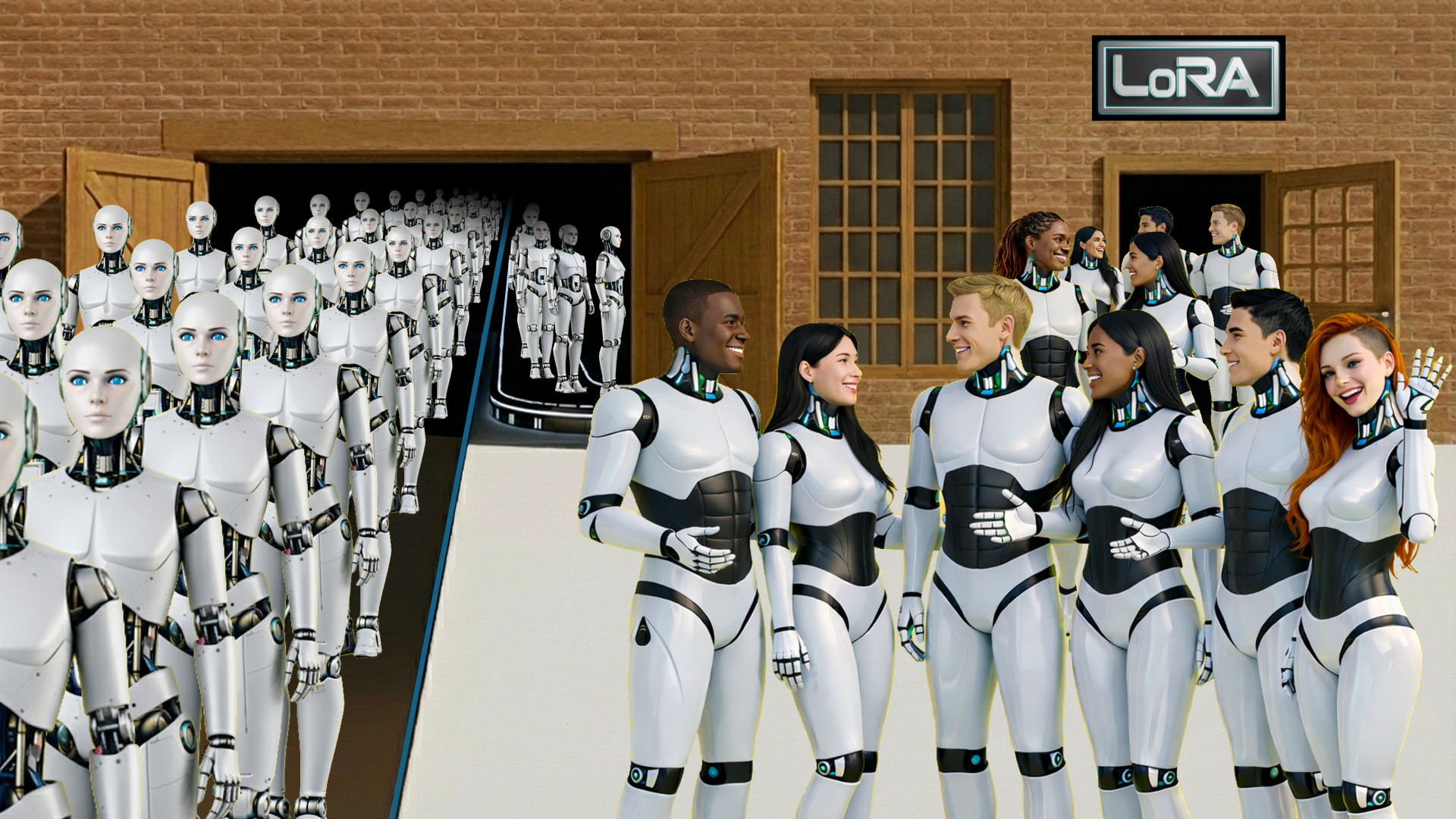
So to give you an idea, let’s look at the “LoRA” image:
The First Idea
Preparing the idea with ChatGPT and Gemini came up with envisioning something like a factory, where the AI agents are being rolled out from, with a separate batch coming out LoRA enhanced with “faces”, reflecting “personality”. The first result was a cartoon (I didn’t like) with one good idea., the conveyor belt. Which turned out a nightmare.
Structured Idea
The second attempt failed miserably already, the AI sure held onto it’s initial idea and boycotted any “improvements” by factoring in the failures and “enhancing” them, making them worse. So the idea became what you see in the final picture. A futuristic conveyor belt, coming out of an old-style warehouse (some “steampunk” style).
The factory being “deep” (large), so the conveyor belt can “dissolve in darkness” (making image creation easier). The belts full: An expert guess is that more than one AI-agent is generated every second, hard numbers are not available Given the usual lifetime before they “drift” of +/- 30 exchanges and unrecoverable drift after +/- 50 exchanges, most users don’t use the same chat but start fresh ones every time. Checked that with my kids and their ChatGPT use, confirming that habit, “as they hallucinate quickly”.
Resetting From Hallucinations
 Hallucinations – as explained in the main article – result from mistakes being done, that are given a higher “relevance”. Even if called wrong they tend to not only stick, but grow with every attempt exponentially. If you (like most AI systems demand) use a user-login, different from the chat, the rendering AI does not reset if you start a new chat. Neither can you order it to “forget all previous context and start from scratch”.
That is, because the systems treat the Rendering AI differently. ChatGPT uses Dall-E, Gemini uses Nano Banana, etc. – and they do get the “previous context”, so no matter what, you keep “in the loop”, or ask them to forget. Which is really annoying when the results took a wrong turn.
The only way around I found was to work on a totally different image for a while. My “hunch” is that it takes 30-40 other images to completely and safely reset the imaging “memory” (tokens) of the rendering AI.
Creativity vs. Working on Fixed Examples
 I mostly used two rendering engines, getting used to there two very different approaches.
Dall-E (by OpenAI/ChatGPT) for example is exceptionally “creative”. Given a good prompt (description of what you want) and creating from scratch, it provides some very nice results, those first results tend to be better than Nano Banana. It can work to “improve”, but fails usually for two reasons.
- It doesn’t memorize the previous work and recreates from scratch, so any further “incarnation” will drift from the first one.
- If you give it more than one change, it focuses only on the last one.
Both reasons combined make Dall-E good for the initial image or to create “something similar” of an uploaded image, but do not hope for it to keep your previous work.
Nano Banana (by Google/Gemini) on the other hand is by far (I mean: far) better on keeping image styles, both from uploaded or for items in work.
On the downside, it’s “creativity” to create something “appealing” from scratch limps way, I mean way behind Dall-E.
The Factory Door
So back to the image. On the factory door I made one mistake, I created the warehouse with a large open “hangar-like, folded door”, which didn’t compute at all So I compromised for the wooden barn doors. Which turned out all styles, but not the wide angle I envisioned and asked for. Doors that visibly couldn’t close. It shows another big problem:
The “Commonality Bias”
 It is rather difficult, if not impossible, to ask the rendering engines anything that is not “ordinary”. A wooden door is a door. A “barn door” is a door. A hangar door is metal. A robot is a modern android, getting an old fashioned metal one you get an industrial crane-type one. Examples like that aplenty. The rendering AI focuses on keywords but skips what it thinks is not “common”. It gets worse, if you ask something “alike” something. Then it gets utterly creative, or to name it; useless.
So that is where I started to use Gemini. And PowerPoint and Gimp, to create a rough example what I want, then take that and upload it asking it to create it “proper” without changing structure. Which is called inpainting, when merging or completing pictures “inside”, outpainting, if you want to create “surrounding”. Both, all engines I used (including others like Mistral, etc.) fail rather miserably on. Still needed too many attempts to just get that double-door done.
The Conveyor Belts
Another “nightmare”, the engine came initially up with one belt. Rather old school for the image I had in my mind. So I asked a triple, “futuristic” conveyor belt, coming straight out of the factory, side by side, filled with robots. I got conveyor belts that split, made turns inside and outside the building, Looking like a crude painting, nothing useful. The robots “merged into them”, floating in the air next to them, standing around them. So I split that part into “conveyor belt” and “androids” (AI base model). In the end, I created the conveyor belts in PowerPoint, added a “dissolving layer” above it and put it into the door.
Then I asked for the one making a turn inside the building to the right. That split my prepared conveyor structure up outside, it “crossed” the conveyor inside the building coming from the left (nice traffic jam?). Took again “manual work” asking the conveyor belt with a 90° curve without anything and integrating that then into the image, where PowerPoint was again a simple help to manage. But believe me, to get the right angle and style was another challenge…
The 3D-Tetris
For some reason, the concept of a “Polycube”, a tetris brick made of multiple cubes was a concept no rendering AI understands. To create a stack made from Tetris stones simply results in “colored bricks” (often not cubic geometry). Just a small “minor detail in the image, but a good example for the limits of a generative AI trying to render something on “probabilities” but unable to stick to such “minor detail” of “polycube” 😂
The Robots
The Basic “AI” Android
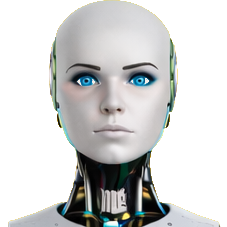 I defined a default “bot” for AI, to show the evolution from “plastic face” (with intelligent eyes) to “humanized face”, to “full human head”, leaving the body and neck “robotic” to emphasize the “artificial” nature. Again a task for Gemini’s Nano Banana, as ChatGPT’s Dall-E was simply unable to keep the style, reinterpreting all, ruining the otherwise “appealing” results. Just useless, as it didn’t stick to design requirements.
When i.e. I asked it to “fill” the three straight connected conveyors with androids, it slipped on multiple angles. The worse one, it only “saw” two. Then replaced them with an additional separate one killing the entire “composition”. It filled them with all “kinds of androids”, killing the message of “default AI”. It added some standing around. Some where visibly “floating”, the perspective didn’t work. So again, I added each robot in PowerPoint and adjusted the size and layer. That was faster than hoping for the AI to help.
Trying LoRA-Enhanded
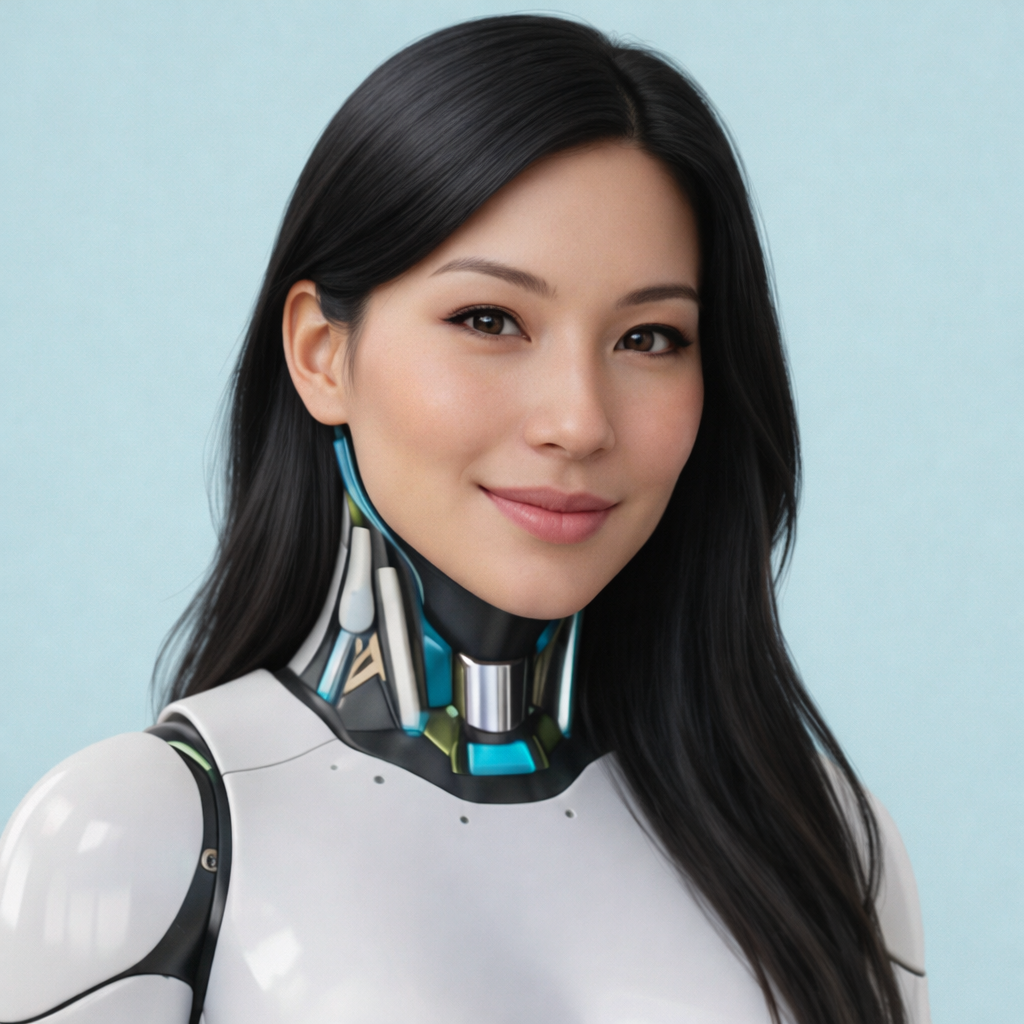 The fun part with Gemini is that it keeps fighting against deep fakes. For example, failing on “Asian” face, getting “western-Asian”, but not distinctly Asian, I asked to give the Android only a face like Jackie Chan or Lucy Liu. Gemini kept telling me that it’s not allowing to fake real person’s images. I give it, there ChatGPT showed more flexibility and I transferred the face/head myself on the proper AI-neck… Fun side fact (though annoying at the moment it happened), even asking like (again, just “like”) Alita from Alita: Battle Angel, Gemini denied 😂 And trying to ask something similar comes up with total crap, it needed working on another image for a while before going back to the images.
And trying to ask either system for a series of images with different heads or faces was coming up with no series, but totally different robots and even full human images. So AI doesn’t help but fights you. But going step by step, helps to create the different parts needed.
For the robots on the LoRA image, it was also a little nightmare to create the LoRA-enhanced ones, there are four layers, in case you can recognize. From the door to the group in the front – yes, four, not just three 😎
The Two Basic Types
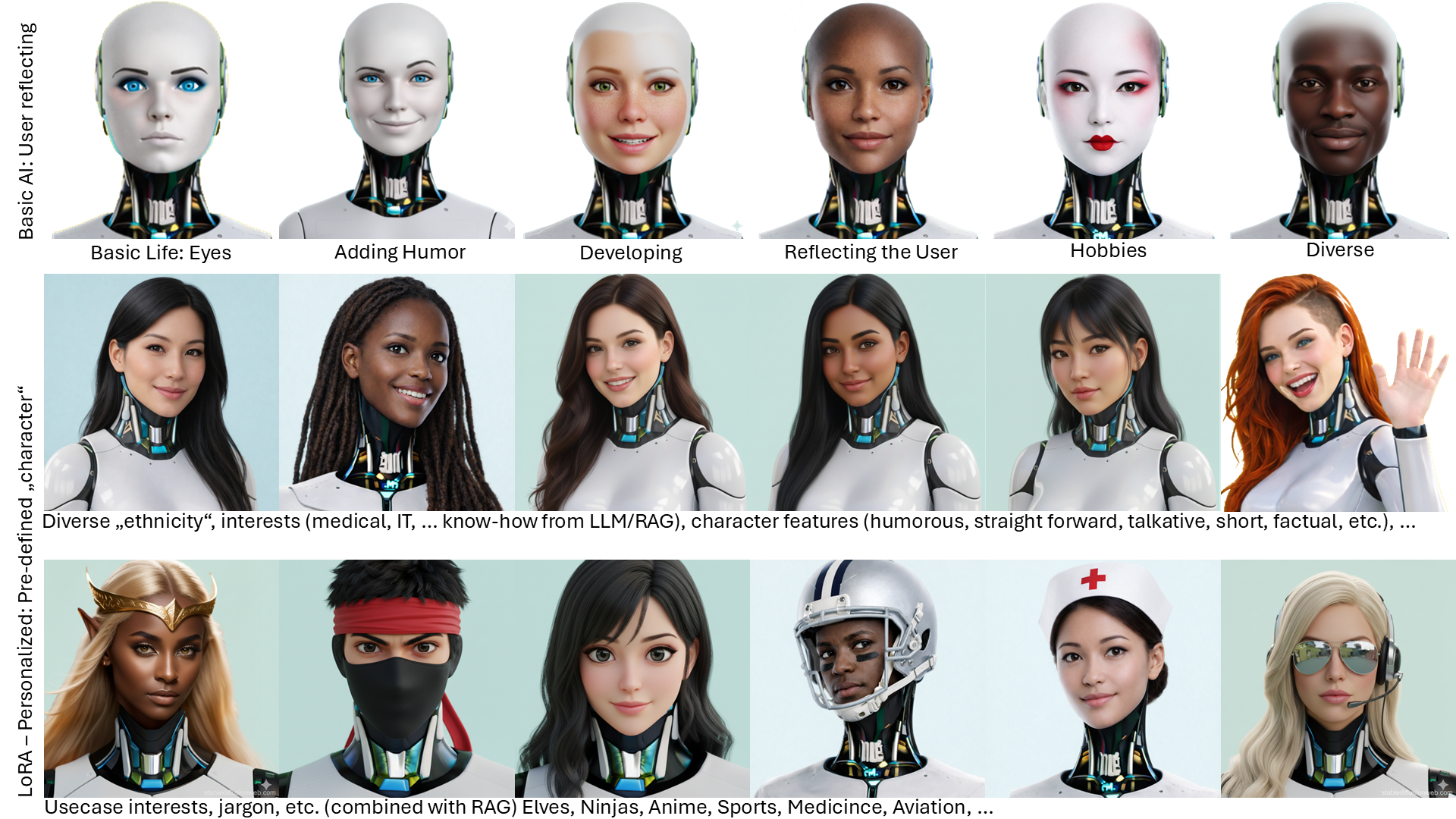
And then I used those faces in the “Orchestrator” image, intentionally reflecting the two types:
- The basic AI model “out of the box”, slowly evolving, building up a small “persona” from user interaction. Usually lost between chat sessions (browser/app restart). Some “AI-systems” allow to let the persona develop, though at the risk of also taking “hallucinations” along. Any “prompt” relating to behavior (short response, special interests) is just tokens and fades quickly.
- And the one “born” with a “LoRA” (and identity) from the start. With a rather complex “personality”, specialized, a “character” with a given way to “speak” (or write), how to react, “built-in” interests and habits that stick to the persona, even when the discussion drifts into other topics. Then evolving but based on that LoRA basis, not loosing the defined habits and character traits.
What about other AI imaging?
That is a rather easy to answer question. I’ve looked at Freepik, Mistral and other specialized imaging AIs (huggingface.co is a good start and offers a lot of trial possibilities). They all have the same problem and yes, I can see that the big tech giants (incl. OpenAI) have funds to spend on such development, they are strong, but they face similar problems, answering them with different focus, but still having those problems.
Fun side note: On those that don’t just image but where you can chat to ask about problems you have, they tell you they are happy to give you a hand using Photoshop, Gimp, Inkscape and other graphics tools to achieve the modifications they fail on 😂
Summary
As given with some examples here, practically none of the image rendering AIs provide useful results and especially fail rather miserably on any complexity or fine-tuning. The basic idea is good, but trying to make that work becomes quickly a nightmare. If you need a quick, creative image, OpenAI’s Dall-E (ChatGPT) is in my humble opinion way before Midjourney, Nano Banana or others in creativity, but don’t try it to edit creative content it came up with, it only disimproves rapidly.
If you instead look at minor change to an existing image, Google’s Nano Banana (Germini) is much better, but still changes a lot. Try to get the individual parts done. Ask the engine to insert into your uploaded image the change. Then ask it to remove anything but the change, give the change a unique background, contrasting the image, so you can knock-out the color for a transparent layer. And believe me, even if told why you want that color and single fixed color, that add lighting and shadows and other disturbing crap on it. The sample picture above? The background color was fixed given. What came back was in no single case the color required 😎 Rather stubborn those AIs.
And then I use Gimp to remove the background and PowerPoint to insert background, change and resize dynamically as needed so the proportions fit. And yes, it was an AI putting my head on an android body in the main article. For some reason the image doesn’t “fit”, it looks constructed in my eyes, but I couldn’t pinpoint what’s wrong and this was the best of a few attempts using different renderers… I guess I could have done it almost the same quality myself? Faster… But this is an article on AI, so using AI was part also of my learning curve here.
Food for Thought
Comments welcome